Founding Member offer·$199/mo, locked for lifeJoin →

Blaze · your AI marketing department

The listing photo you wish you'd shot

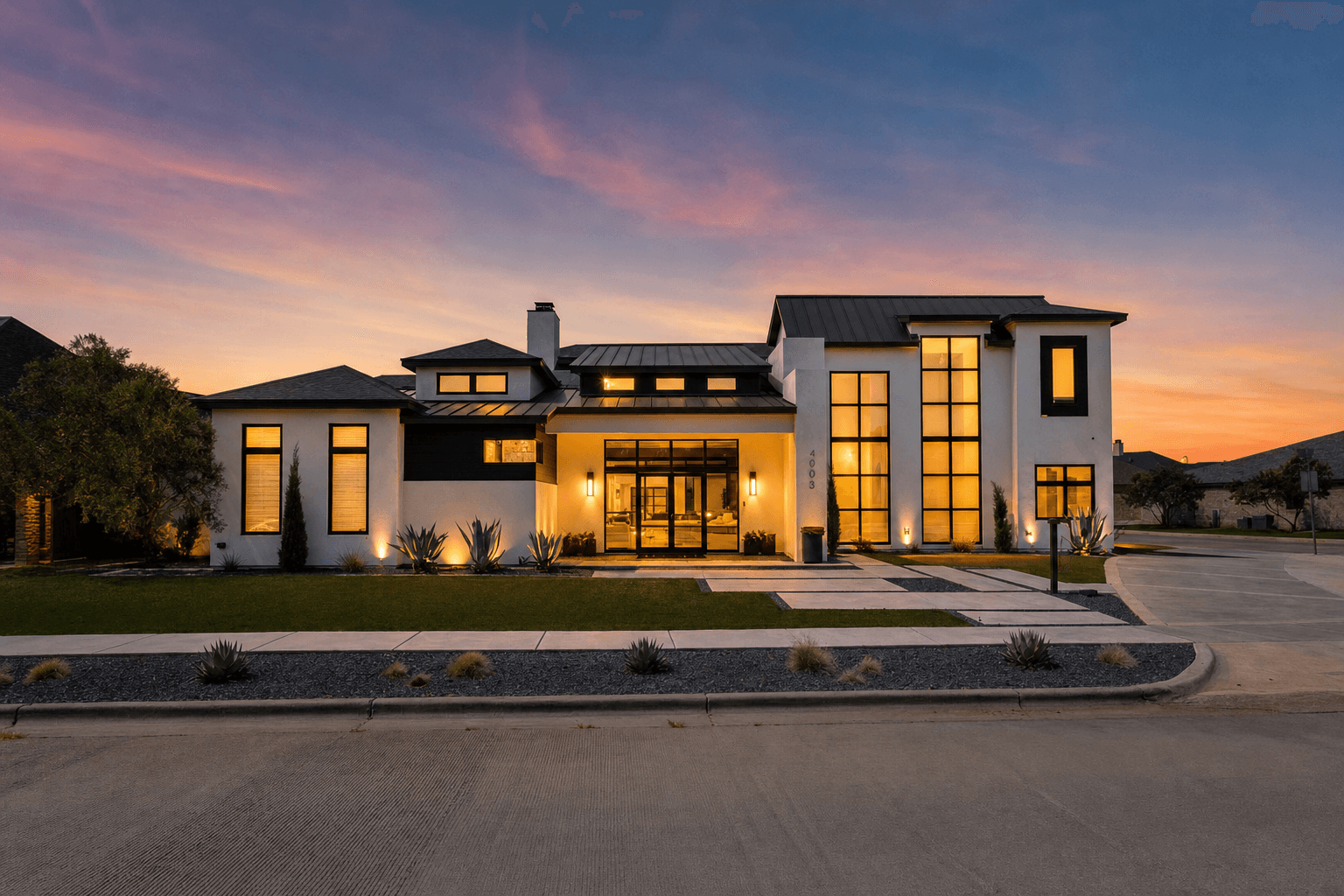
Blaze's AI Photo Studio relights, repaints, declutters and stages your MLS photos in about a minute each — inside the same place your flyers, mailers and ads get built.
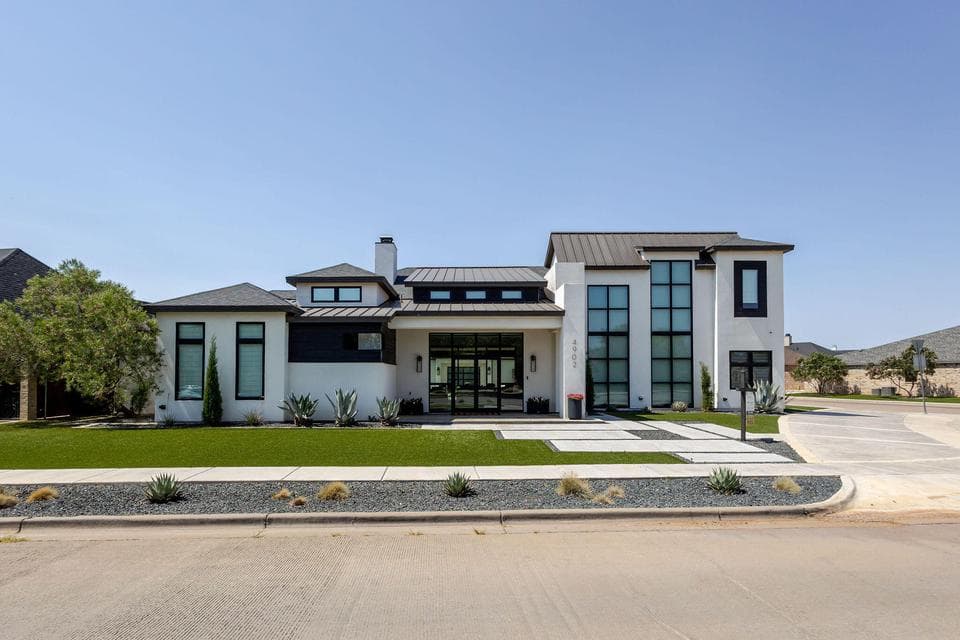
Front elevation of a house photographed at midday, flat blue sky, unlit windows
The same front elevation after Blaze's Day to Dusk render: dusk sky, glowing warm windows
ORIGINALBLAZE · DAY TO DUSK
‹›
Drag the divider. Left as shot at midday, right after one tap — 41 seconds.
The studio

Pick a photo. Pick the fix. Get it back in a minute.

No editor to learn, no vendor to email, no three-day turnaround. Renders land straight in the listing's media folder.

app.hivecentra.com/agents/blaze-studio
Beta
Blaze · Content Studio102.7h saved this monthHCT unlimited
Create Media
AI Photo Studio
Listings
Write
Designer
Mailer Campaigns
Content Calendar
Photo
4902 Front Elevation · photo 1change
Enhancements
Day to DuskWarm twilight exterior
Paint ColorPreview any wall color
Virtual StagingFurnish an empty room
Curb AppealCut the lawn, refresh the beds
Shape · Render tier
3:2 · 1536 × 1024High
Edit photo with Blaze
Uses up to 2,500 Hive Centra Tokens. Most MLS rules require disclosing digitally altered or virtually staged photos.
Day to DuskRendered · 41s1536 × 1024 · JPG
Original daytime exterior with a flat blue sky, before enhancement
The same exterior after Blaze's Day to Dusk render: twilight sky and warm lit windows
ORIGINALBLAZE · DAY TO DUSK
‹›
01

Choose the photo

Straight from the listing's media folder — no uploading, no file wrangling.

02

Choose the enhancement

One tap. Day to Dusk, Paint Color, Declutter, Virtual Staging and more.

03

Use it everywhere

The render attaches to the listing, so flyers, mailers, social and ads pick it up.

Paint color

Show the room, not the seller's taste

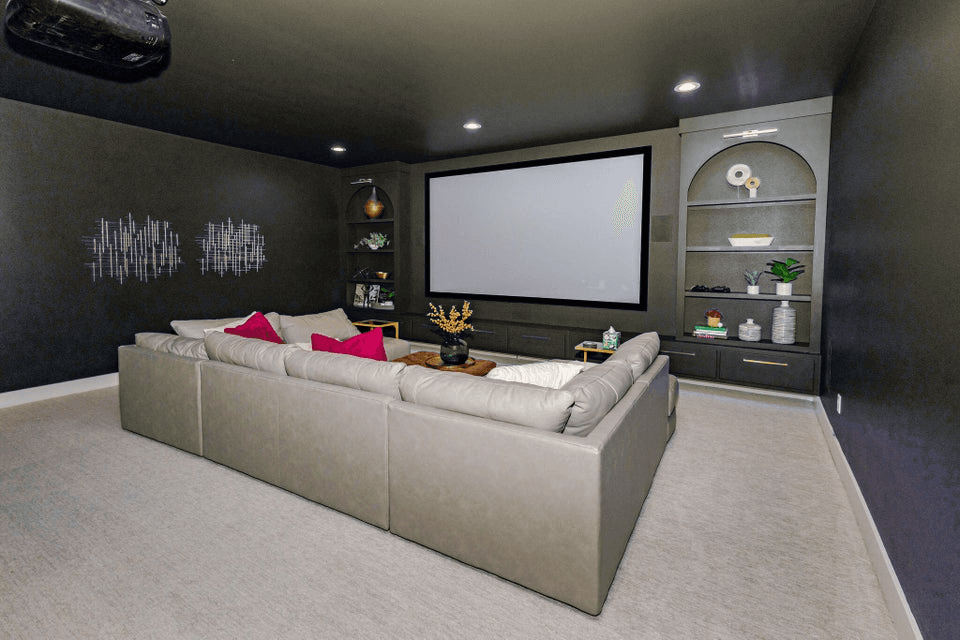
A bold wall reads as personality in person and as a renovation project online. Repaint it without touching a roller.
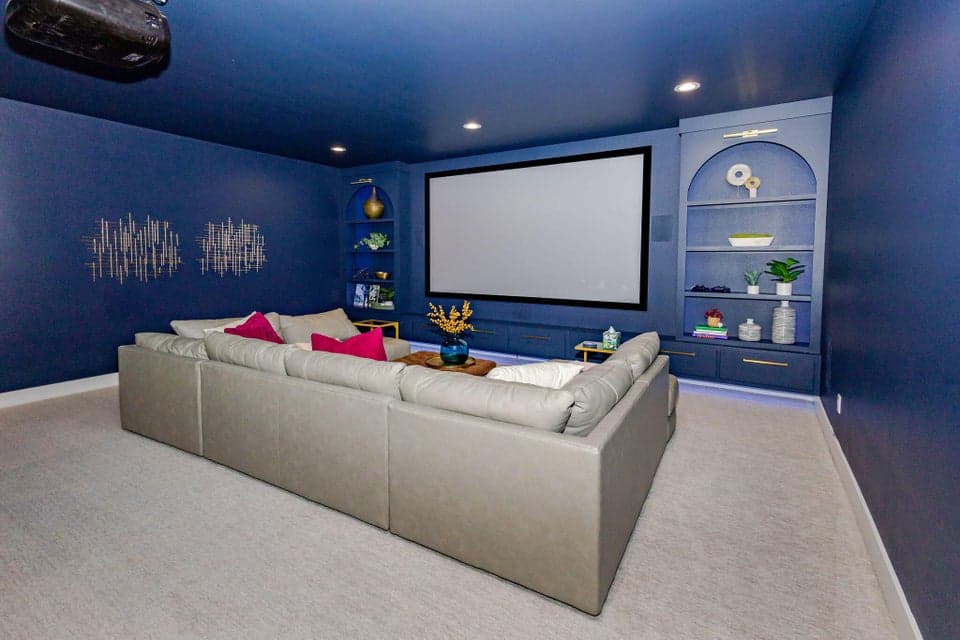
Media room with bold navy walls before the Paint Color enhancement
The same media room with walls recolored charcoal, furniture and art unchanged
BEFOREAFTER
‹›
Media room, navy to charcoal. Sofa, art and shelves stay exactly where they were.
Everything in the studio

Nine enhancements, one tap each

Same flow every time: pick the photo, pick the fix, wait about a minute.

Day to DuskTurn a midday exterior into a warm twilight hero shot.
Paint ColorPreview any wall color instantly.
Virtual StagingFurnish an empty room so buyers can picture living in it.
DeclutterClear mess and personal items from a lived-in room.
Remove ObjectsErase cars, cords and trash bins from the frame.
Curb AppealCut the lawn, mulch the beds, clean up the drive.
Sky ReplacementTrade a flat gray sky for a clear one in seconds.
Restyle RoomGive a dated room a whole new look.
Add PoolShow a backyard's potential before it's built.
~60sTypical render time per photo
$0Per-photo vendor cost, at any volume
1,708Tokens for the twilight render above
On disclosure: most MLSs require you to note when a photo has been digitally altered or virtually staged. Blaze tags every render so you know exactly which images need the disclaimer.

Blaze comes with every Hive Centra seat

The AI Photo Studio, listing copy, flyers, mailers and the content calendar — one marketing agent, no per-photo invoices.